
There are few things more frustrating than prepping a tray full of smash burgers and onions, only to step outside and find your griddle unresponsive.
Loco Cookers have made a name for themselves in the outdoor cooking world by introducing “SmartTemp” technology to flat-top grilling.
Unlike standard griddles that rely solely on guesswork and knob positioning, Loco grills use digital thermostats to maintain precise temperatures.
However, adding electronics to a propane appliance introduces a new layer of potential complications.
While these grills are generally reliable workhorses, users occasionally encounter error codes, ignition failures, or temperature fluctuations that can derail a cookout.
The good news is that most issues with these SmartTemp griddles are easily solvable at home without needing to ship the unit back or hire a technician.
Whether you are staring at a blinking “E1” code or struggling with a yellow, sooty flame, this guide covers the troubleshooting steps you need.
Here are the 12 most common Loco grill problems and the step-by-step fixes to get you back to searing.
1. The Griddle Won’t Turn On (No Power)
Since Loco grills require electricity to run the temperature display and igniters, a complete lack of power is the most common starting issue. You press the power button, but the digital screen remains black.
The Fix:
First, verify your power source. Loco griddles can run on D-cell batteries or an AC adapter.
- If using batteries: Open the battery compartment located under the left side shelf. Ensure the batteries are fresh and installed with the correct polarity (+/-). Check the metal contacts for any corrosion or rust that might be breaking the circuit.
- If using the AC adapter: Check the connection point on the grill and your wall outlet. Ensure the GFCI outlet hasn’t tripped.
- Check the master switch: Some models have a master toggle switch near the power input or battery pack. Ensure this is flipped to the “On” position before pressing the power button on the control panel.
2. Igniter Clicks But Won’t Light
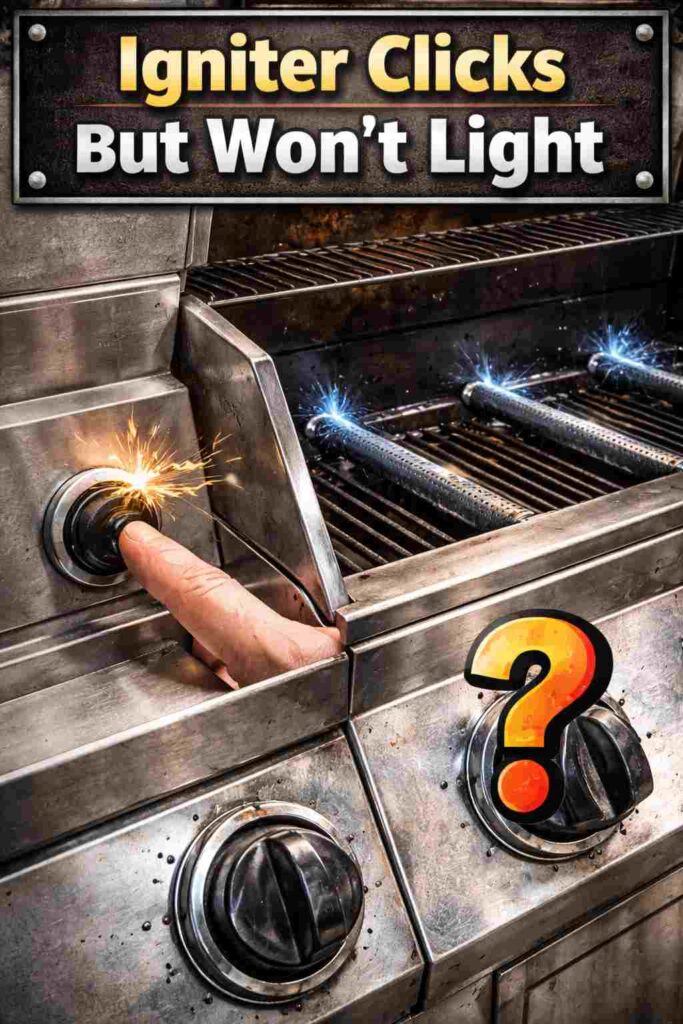
You have power, and you can hear the click-click-click of the spark generator, but the propane isn’t catching fire. This usually suggests gas isn’t reaching the burner or the spark isn’t hitting the right spot.
The Fix:
- Check the propane tank: Lift the tank to ensure it isn’t empty.
- Inspect the electrode position: Look closely at the burner tube. The metal tip of the electrode (the part that sparks) should be roughly 1/8 to 1/4 inch away from the burner holes. If it is bent too far away, the spark won’t jump. If it is touching the burner, it won’t spark at all. Gently bend it back into place with pliers.
- Clean the burner: Spiders love the smell of propane. It is common for spider webs or insect nests to block the burner tube, preventing gas from reaching the ignition point. Use a bottle brush or compressed air to clear the venturi tubes.
10 Common Traeger Pro 34 Temperature Problems (With Fixes)
3. No Clicking Sound When Igniting
If you turn the knob and press the ignition button but hear silence, the spark generator itself is likely the culprit.
The Fix:
- Replace the battery: Even if the digital screen is on, a weak battery might not have enough juice to generate a spark.
- Check the wires: Look behind the control panel (you may need to unscrew it). Ensure the wires connecting the ignition button to the spark module haven’t vibrated loose.
- Manual Lighting: As a temporary workaround, you can use a long match or a stick lighter. Turn the gas on low and carefully apply a flame near the burner.
10 Common Reasons Traeger Grill Not Igniting (With Fixes)
4. Error Code E1 (Open Sensor)
One of the downsides of a “smart” griddle is dealing with error codes. The E1 code is one of the most frequent. It indicates an “Open Sensor,” meaning the computer cannot detect a connection to the temperature probe.
The Fix:
This is almost always a loose wire connection.
- Turn off the grill and unplug it (or remove batteries).
- Locate the temperature probes. These are usually mounted under the griddle plate.
- Follow the wires from the probe back to the control board.
- Unplug and firmly replug the connectors. Sometimes, grease or oxidation can interrupt the signal. Unplugging and reconnecting scrapes the contacts clean.
- Inspect the wire for damage. If mice have chewed the wire or it has melted against the firebox, the probe will need to be replaced.
5. Error Code E2 (Short Circuit)
Similar to E1, the E2 code relates to the temperature probes. However, E2 specifically signals a “Short Circuit.” This means the wires are touching each other or the metal chassis where they shouldn’t be.
The Fix:
- Check for pinched wires: This often happens after assembly or moving the grill. Look for any spot where the probe wire is pinched between metal panels or the leg assembly.
- Moisture buildup: If you recently washed the grill or left it in the rain, water might have entered the connector plugs. Disconnect the plugs, blow them out with compressed air or let them dry, and reconnect.
- Replace the probe: If the wire insulation is melted and the copper wire is exposed, you will need to order a replacement temperature probe from Loco Cookers.
6. Error Code E3 (Overheating Protection)
The E3 code is a safety feature. It triggers when the electronics detect that the griddle plate has exceeded the maximum safe temperature (usually over 550°F or 600°F, depending on the model). This shuts off the gas to prevent a grease fire or damage to the unit.
The Fix:
- Cool it down: You cannot reset an E3 code while the unit is hot. Turn the burners off, open the lid (if equipped), and let the griddle plate cool significantly.
- Check for grease fires: E3 often happens during a flare-up. Keep your grease trap clear.
- Sensor malfunction: If the grill is cold (e.g., you just turned it on) and it immediately reads E3, the temperature sensor is faulty and thinks the grill is 1000 degrees. The sensor needs replacement.
7. Griddle Not Getting Hot Enough (Low Flame)
You have the dial set to 450°F, but the grill is stalling out at 300°F with weak, flickering flames. This is rarely a mechanical failure and almost always a regulator safety issue known as “bypass mode.”
Propane regulators have a safety mechanism designed to detect gas leaks. If you open the propane tank valve too quickly, the regulator thinks there is a ruptured hose and restricts gas flow to a whisper.
The Fix (Regulator Reset):
- Turn all burner knobs to the OFF position.
- Turn the propane tank valve completely OFF.
- Disconnect the regulator hose from the propane tank.
- Wait for 60 seconds. This allows the pressure in the regulator to reset.
- Reconnect the hose to the tank.
- Slowly open the propane tank valve (take 5-10 seconds to turn it).
- Light the grill as usual. You should now have roaring flames.
8. Uneven Heating (Hot and Cold Spots)
While Loco grills utilize SmartTemp technology to cycle burners on and off, users may still experience uneven heating zones where one side is scorching and the other is lukewarm.
The Fix:
- Wind Management: Griddles are susceptible to wind. If a breeze is hitting the side of the grill, it will cool that zone down rapidly. Reposition the grill so the wind hits the back of the unit, or install after-market wind guards.
- Level the Grill: If the grill isn’t level, hot air (and grease) will pool in one area. Use a bubble level on the cooktop and adjust the caster wheels or feet until perfectly flat.
- Blocked Burner Ports: If specific spots are cold, check the burner tubes underneath the plate. Clogged holes mean no flame in that specific inch. Clear them with a paperclip.
9. Yellow or Sooty Flame
A healthy propane flame should be mostly blue with a tiny tip of yellow. If your flames are entirely yellow and lazy, or if they are leaving black soot on the bottom of your griddle plate, your air-to-gas mixture is wrong.
The Fix:
You need to adjust the Air Shutter.
- Remove the griddle plate to access the burners.
- Locate the air shutter screw near the throat of the burner (where the gas enters).
- Loosen the screw and rotate the shutter.
- Opening the gap allows more air (fixing a yellow flame). Closing the gap reduces air (fixing a lifting/blowing flame).
- Adjust until the flame is steady blue, then retighten the screw.
10. The Display Screen is Glitching or Fading
Sometimes the grill works, but the display is unreadable, flickering, or parts of the numbers are missing.
The Fix:
- Temperature sensitivity: LCD screens struggle in extreme temperatures. If the grill is sitting in direct, scorching sunlight in mid-July, the screen may “black out.” Shade the display; it should return to normal once cooled. Conversely, in freezing temps, LCDs can be sluggish.
- Check connections: Loose ribbon cables behind the display panel can cause flickering. Reseat the internal connections.
- Moisture damage: If water has compromised the seal around the screen, you may see condensation inside. This usually requires replacing the control unit.
11. The Surface is Peeling (Flaking Black Specks)
New griddle owners often panic when they see black flakes coming off the surface, assuming the metal coating is peeling off into their food.
The Fix:
This is not paint; it is carbon. This happens when the seasoning layers (polymerized oil) haven’t bonded correctly to the metal, or the seasoning built up too thick and is now cracking.
- Scrape it down: Use a heavy-duty grill scraper or a grill brick to remove the loose flaking seasoning.
- Re-season: Apply a thin layer of oil, heat it until it smokes, and let it burn off. Repeat 2-3 times. The black flakes will disappear, and the non-stick surface will return.
12. Rust on the Griddle Plate
Loco griddles use rolled steel tops. Unlike stainless steel, rolled steel contains iron and will rust if exposed to moisture without a protective oil barrier.
The Fix:
- The Removal: For light rust, scrub with oil and a scouring pad. For heavy rust, use a grill stone or fine-grit sandpaper to strip the surface down to bare silver steel.
- The Reset: Wash the dust off, dry it immediately with heat, and re-season the grill from scratch (multiple thin layers of oil burned off at high heat).
- Prevention: Never leave the griddle dry. After every cook, clean it, and apply a thin “maintenance coat” of oil before putting the silicone cover or hard cover on.
Frequently Asked Questions
Can I use a Loco griddle in the rain?
While the griddle plate itself can handle water, the electronic components (SmartTemp controller, power adapter) are not waterproof. Using the grill in heavy rain can cause short circuits (Error E2) or permanent damage to the display. If you must cook in the rain, ensure the control panel is protected.
How do I reset the computer on my Loco grill?
There is no “factory reset” button. To perform a hard reset, disconnect all power sources (unplug the AC adapter and remove the batteries). Turn the power button to the “On” position for 30 seconds to drain any residual capacitor power. Reinstall batteries/plug it in and try again.
Why does my Loco grill temperature fluctuate so much?
SmartTemp technology works like an oven—it cycles the flame on and off to maintain an average temperature. It is normal for the temp to swing 10-15 degrees above or below your set point. If the swing is drastic (50+ degrees), verify that your wind guards are in place and that the temperature probe is clean and free of caked-on grease.
What is the best oil for seasoning a Loco griddle?
Oils with high smoke points are best for creating a durable seasoning layer. Avocado oil, grapeseed oil, and specialized griddle seasoning waxes are top choices. Avoid olive oil or butter for the base seasoning layer, as they burn at lower temperatures and can turn bitter or flake off.